ass="toc-nav-item toc-nav-level-3">4.28. BgLineCanvas Config
  • 4.29. Search Settings
  • 4.30. Gitter
  • 4.31. Deployment
  • 5. Hexo Basics
  • 6. Have fun ^_^
  • Hexo-Theme-LiveMyLife - Haokai Qin's Vis Gallery

    Hexo-Theme-LiveMyLife

    A succinct hexo theme...

    Posted by 秦浩凯(Haokai Qin) on 2020-04-17
    Estimated Reading Time 12 Minutes
    Words 1.9k In Total
    Viewed Times

    Ported Theme of Hux Blog, Thank Huxpro for designing such a flawless theme.

    This LiveMyLife theme created by Vincent modified from the original Porter YenYuHsuan , refer to the Themes of dusignUtone, Thanks dusignUtone.

    Repo

    Github Repo: https://github.com/V-Vincen/hexo-theme-livemylife
    Gitee Repo: https://gitee.com/V_Vincen/hexo-theme-livemylife

    View LiveMyLife Blog ➾
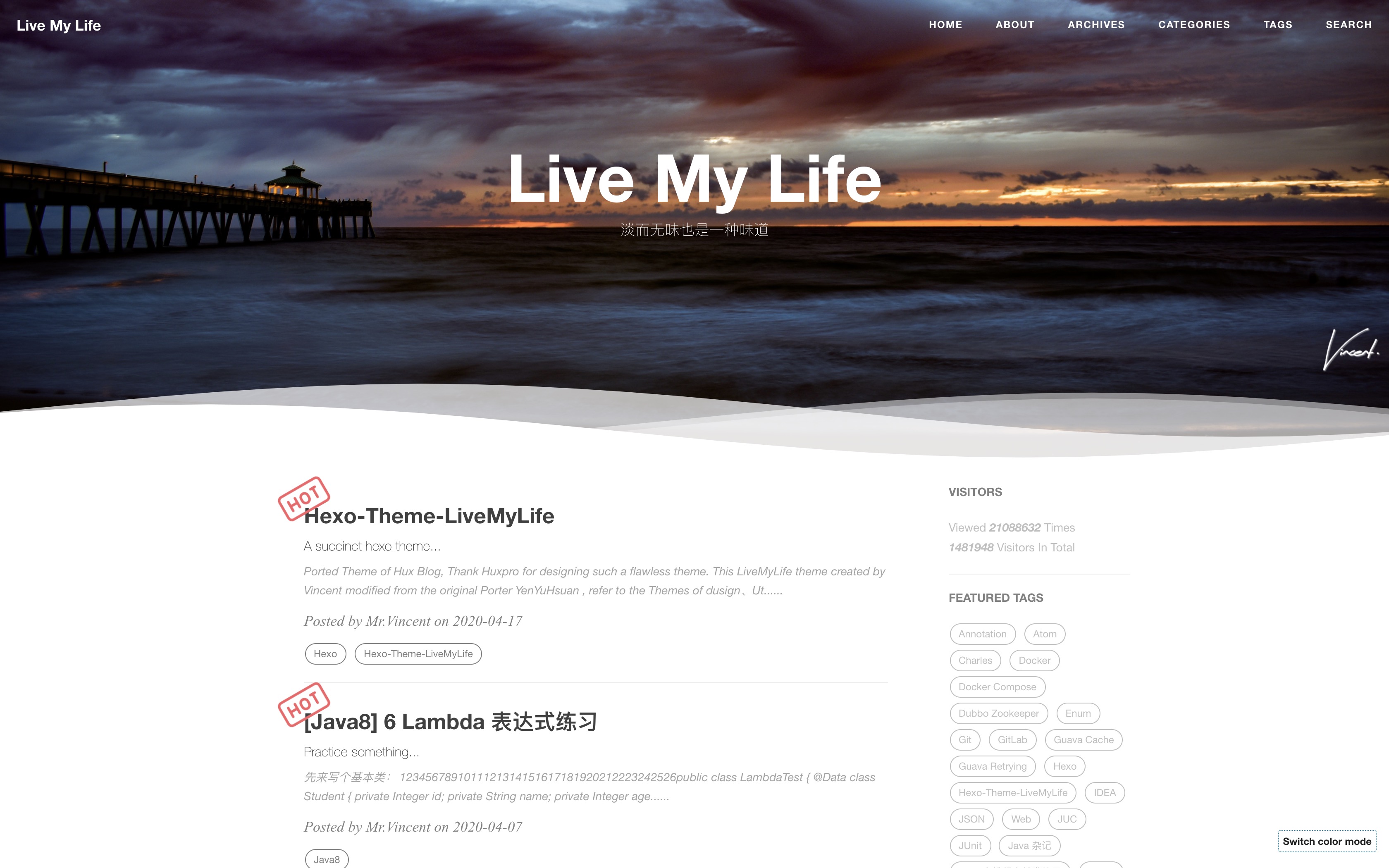
    LiveMyLife Desktop

    Quick Start

    I publish the whole project for your convenience, so you can just follow the instruction down below, then you can easily customiz your own blog!

    Let’s begin!!!

    Install Node.js and Git

    1
    2
    3
    #For Mac
    brew install node
    brew install git

    Windows: Download & install Node.js. -> Node.js

    Windows: Download & install Git. -> Git

    Install Hexo

    1
    $ npm install -g hexo-cli

    What is Hexo?

    Hexo is a fast, simple and powerful blog framework. You write posts in Markdown (or other markup languages) and Hexo generates static files with a beautiful theme in seconds.

    Setup your blog

    1
    $ hexo init blog

    More Commands -> Hexo Commands

    Theme Usage

    Init

    1
    2
    3
    4
    5
    6
    cd blog
    rm -rf scaffolds source themes _config.landscape.yml _config.yml package.json yarn.lock #just keep node_modules
    git clone https://github.com/V-Vincen/hexo-theme-livemylife.git
    mv hexo-theme-livemylife/* ./
    rm -rf hexo-theme-livemylife
    npm install

    Set Theme

    Modify the value of theme: in _config.yml

    1
    2
    3
    4
    # Extensions
    ## Themes: https://hexo.io/themes/
    ## Plugins: https://hexo.io/plugins/
    theme: livemylife

    Start the Server

    1
    2
    hexo generate # or hexo g
    hexo server # or hexo s

    Starts a local server. By default, this is at http://localhost:4000/.

    More Commands -> Hexo Commands

    Configuration

    Modify _config.yml file with your own info, Especially the section:

    Site

    Replace the following information with your own.

    1
    2
    3
    4
    5
    # Site
    title: Live My Life
    subtitle: 淡而无味也是一种味道
    author: Mr.Vincent
    timezone:

    Internationalization (i18n)

    You can use internationalization to present your site in different languages. -> Docs:How to Use Internationalization(i18n)

    1
    2
    3
    4
    5
    6
    7
    8
    9
    10
    11
    12
    13
    14
    15
    16
    17
    18
    19
    20
    21
    22
    23
    24
    25
    26
    27
    28
    29
    30
    31
    # Internationalization (i18n) Setting
    language: # At present, only en、cn and tw are supported. You can customize the language,refer to `languages/en.yml`.
    - en
    - cn

    langselect:
    enable: true # If open, it will automatically generation lang-select button.This button can jump in articles in different languages, but the articles must have the same name.
    options: # langselect button display options
    en: English
    cn: 简体中文
    # tw: 正體中文

    i18n_dir: :lang
    permalink: :lang/:title/
    new_post_name: :lang/:title.md

    # hexo-generator-i18n config
    ## Docs: https://github.com/xcatliu/hexo-generator-index-i18n
    index_generator:
    per_page: 10
    pagination_dir: page
    path: ''
    order_by: -date

    archive_generator:
    enabled: false
    per_page: 10
    yearly: true
    monthly: true
    daily: false
    order_by: -date

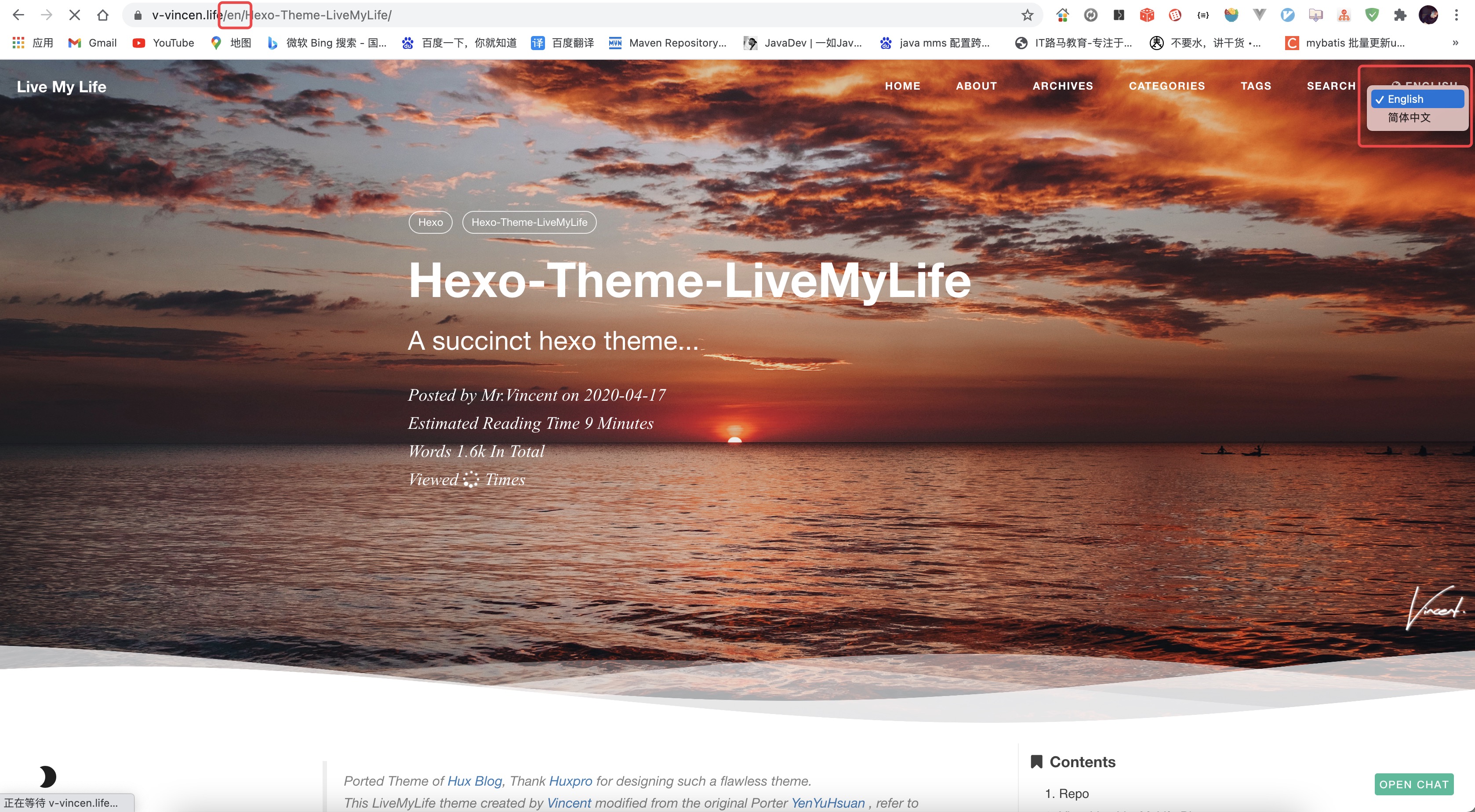
    English preview:

    en

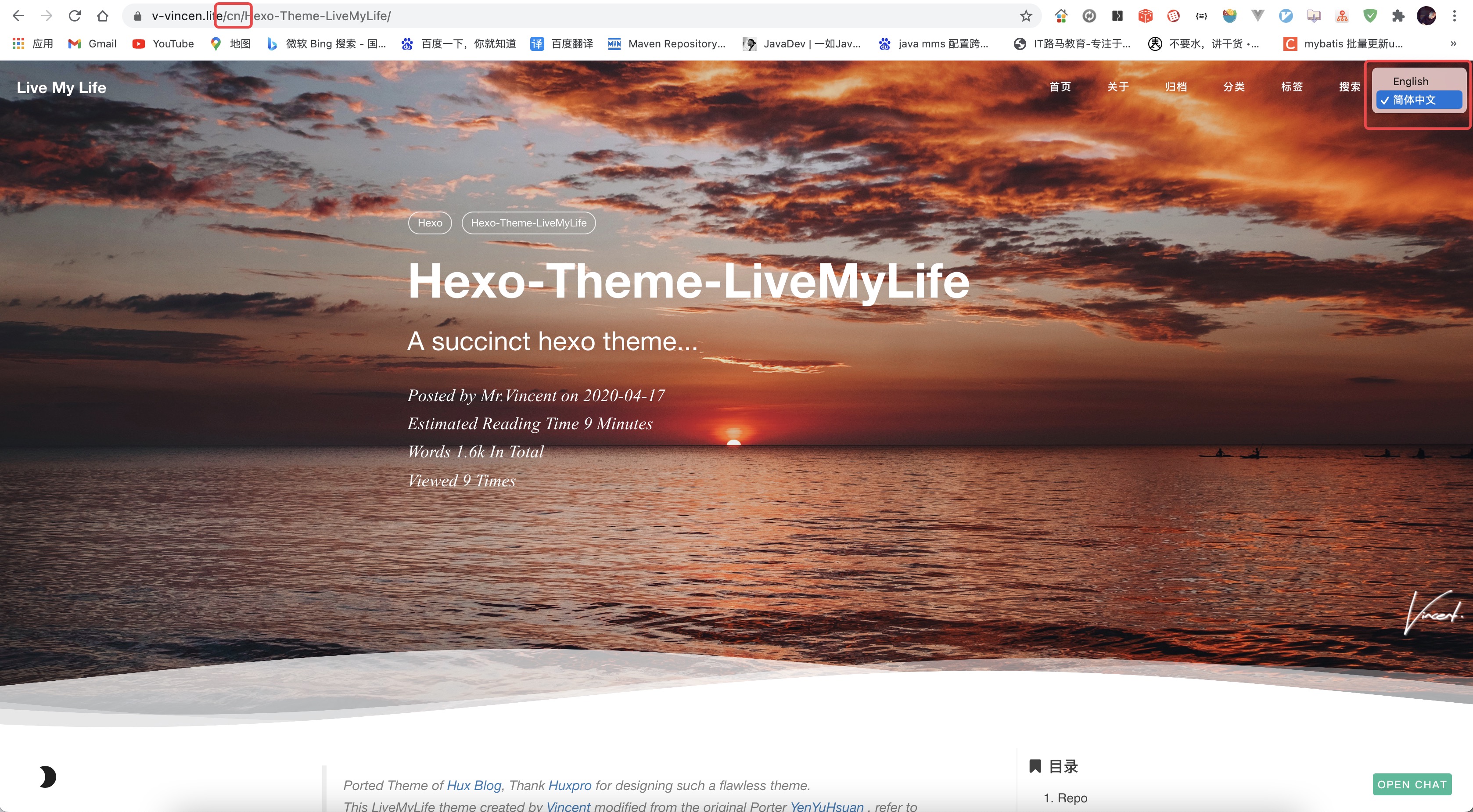
    Chinese preview:

    cn

    CDN Settings

    JsDelivr is A free CDN for Open Source fast、reliable and automated. How to use Jsdelivr? -> Docs:免费 CDN 提速 Github 静态资源访问

    1
    2
    3
    4
    5
    6
    7
    # CDN Setting
    # Docs: https://www.jsdelivr.com/?docs=gh
    # If Github Pages deploy,you can ues jsdelivr settings
    #
    jsdelivr:
    jsdelivr_url: https://cdn.jsdelivr.net/gh/
    github_username: V-Vincen

    Note: The theme of Hexo-theme-livemylife has a large number of css、js and images, in order to improve access speed, the theme for all of the resource files are made JsDelivr CDN. But only for Github Pages deployment. -> Docs:How to apply JsDelivr CDN in Hexo-theme-livemylife Theme

    Site Settings

    Put customized pictures in img directory.

    1
    2
    3
    4
    5
    6
    7
    # Site settings
    SEOTitle: JavaDev | 一如Java深似海
    email: hexo-theme-livemylife@mail.com
    description: "It's an IT blog..."
    keyword: "Java,v-vincen,v-vincen,livemylife,IT blog,Blog"
    header-img: img/header_img/newhome_bg.jpg
    archives-img: img/header_img/archive_bg2.jpg

    Favicon Settings

    1
    favicon: img/avatar/favicon.jpg

    Signature Settings

    Copy your signature image to <root>/img/signature and modify the _config.yml.

    1
    2
    signature: true   # show signature
    signature-img: img/signature/<your-signature>

    How to create signature -> Free Online Signature

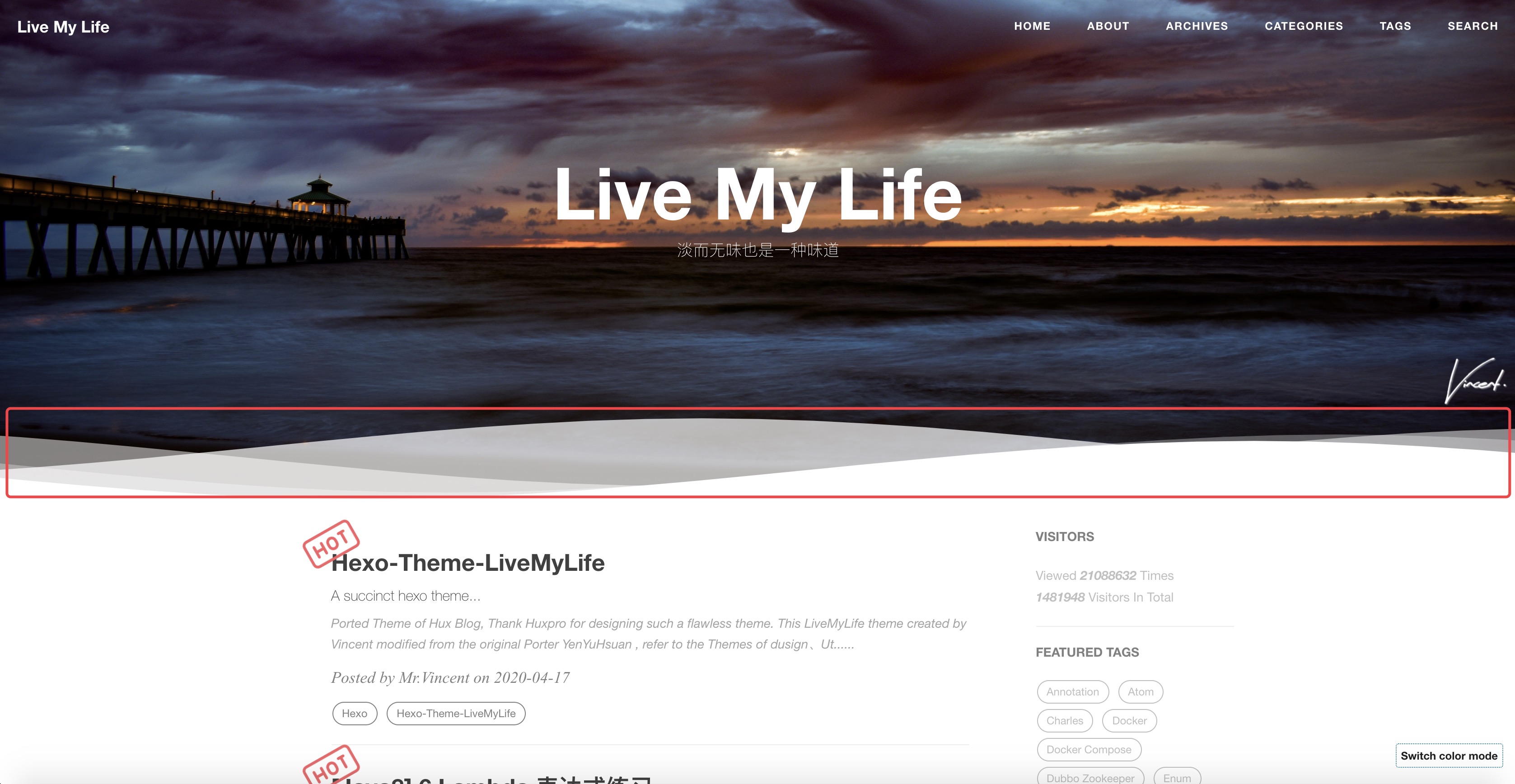
    Wave Settings

    1
    2
    # Wave settings
    wave: true

    Example:

    wave

    SNS Settings

    If you don’t want to display it, you can delete it directly.

    1
    2
    3
    4
    5
    6
    7
    8
    9
    # SNS settings
    # RSS: true
    github_username: V-Vincen
    twitter_username: V_Vincen_
    instagram_username: V_Vincen_
    # facebook_username: yourAccount
    # linkedin_username: yourAccount
    # zhihu_username: yourAccount
    weibo_username: WVincen

    Copy your avatar image to <root>/img/avatar and modify the _config.yml:

    1
    2
    3
    4
    5
    6
    7
    8
    9
    10
    11
    12
    13
    14
    15
    16
    17
    18
    19
    20
    21
    22
    23
    24
    25
    26
    27
    28
    29
    30
    31
    sidebar: true   # whether or not using Sidebar.
    sidebar-about-description: "I don't know where I am going ,but I am on my way..."
    sidebar-avatar: img/avatar/vincnet.jpg # use absolute URL, seeing it's used in both `/` and `/about/`
    widgets:
    - visitor # busuanzi: https://busuanzi.ibruce.info/
    - featured-tags
    - short-about
    - recent-posts
    - friends-blog
    - archive
    - category

    # widget behavior
    ## Archive
    archive_type: 'monthly'
    show_count: true

    ## Featured Tags
    featured-tags: true # whether or not using Feature-Tags
    featured-condition-size: 0 # A tag will be featured if the size of it is more than this

    ## Friends
    friends: [
    {
    title: "V_Vincen",
    href: "https://v-vincen.life/"
    },{
    title: "Teacher Ye",
    href: "http://teacherye.com/"
    }
    ]

    Comment Settings

    Hexo-Theme-LiveMyLife temporarily supports three Comments. I use gitalk comment system.

    Gitalk

    Gitalk is a modern comment component based on GitHub Issue and Preact. See Gitalk for detailed configuration method.

    1
    2
    3
    4
    5
    6
    7
    8
    9
    10
    11
    12
    13
    14
    # Gitalk Settings
    # Doc: https://github.com/gitalk/gitalk/blob/master/readme-cn.md
    gitalk:
    owner: # 'GitHub repo owner'
    admin: # ['GitHub repo owner and collaborators, only these guys can initialize github issues']
    repo: # 'GitHub repo'
    clientID: # 'GitHub Application Client ID'
    clientSecret: # 'GitHub Application Client Secret'
    perPage: 10 # Pagination size, with maximum 100.
    pagerDirection: last # Comment sorting direction, available values are last and first.
    createIssueManually: false # By default, Gitalk will create a corresponding github issue for your every single page automatically when the logined user is belong to the admin users. You can create it manually by setting this option to true
    language: en # Localization language key, en, zh-CN and zh-TW are currently available.
    maxCommentHeight: 250 # An optional number to limit comments' max height, over which comments will be folded.Default 250.
    proxy: https://cors-anywhere.azm.workers.dev/https://github.com/login/oauth/access_token # GitHub oauth request reverse proxy for CORS. For example, the demo url is 'https://cors-anywhere.herokuapp.com/https://github.com/login/oauth/access_token'.You should deploy your own proxy url as in this issue https://github.com/gitalk/gitalk/issues/429.

    Gitment

    Gitment is a comment system based on GitHub Issues, which can be used in the frontend without any server-side implementation. See Gitment for detailed configuration method.

    1
    2
    3
    4
    5
    6
    7
    8
    9
    10
    ## Gitment Settings
    ## Doc: https://github.com/imsun/gitment
    gitment:
    owner: # Your GitHub ID. Required.
    repo: # The repository to store your comments. Make sure you're repo's owner. Required.
    client_id: # GitHub client ID. Required.
    client_secret: # GitHub client secret. Required.
    desc: # An optional description for your page, used in issue's body. Default ''.
    perPage: 10 # An optional number to which comments will be paginated. Default 20.
    maxCommentHeight: 250 # An optional number to limit comments' max height, over which comments will be folded. Default 250.

    Disqus

    If you want use Disqus, you must have a circumvention (proxy, clime over the firewall) technology.

    1
    2
    # Disqus settings
    disqus_username: your-disqus-ID

    Analytics Settings

    How to config analytics? -> Docs:Analytics and Sitemap Settings

    1
    2
    3
    4
    5
    6
    # Analytics settings
    # Google Analytics
    ga_track_id: UA-xxxxxx-xx # Format: UA-xxxxxx-xx

    # Baidu Analytics
    ba_track_id: ba_track_id

    Sitemap Settings

    How to config sitemap? -> Docs:Analytics and Sitemap Settings

    1
    2
    3
    4
    5
    6
    7
    8
    9
    # Google sitemap
    sitemap:
    path: sitemap.xml

    # Baidu sitemap
    baidusitemap:
    path: baidusitemap.xml

    baidu_push: true

    Go to top icon Setup

    My icon is using point, you can change to your own icon at sourcre/css/images.

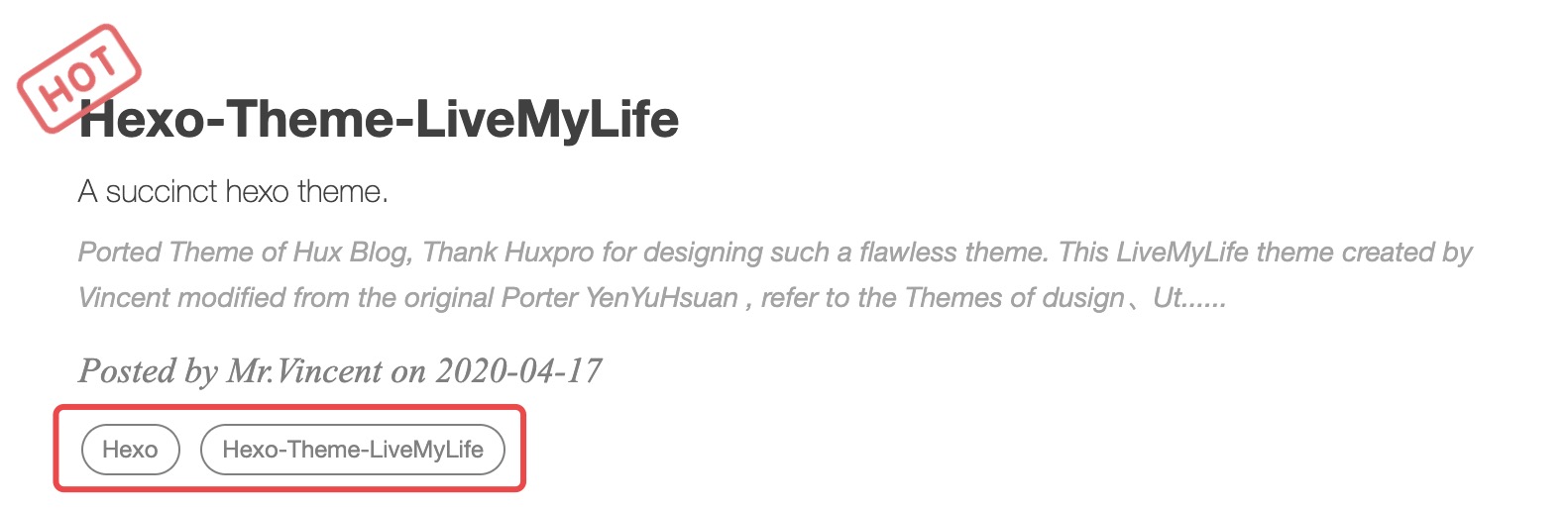
    Post tag

    You can decide to show post tags or not.

    1
    home_posts_tag: true

    Example:

    home_posts_tag-true

    Markdown render

    My markdown render engine plugin is hexo-renderer-markdown-it.

    1
    2
    3
    4
    5
    6
    7
    8
    9
    10
    # Markdown-it config
    ## Docs: https://github.com/celsomiranda/hexo-renderer-markdown-it/wiki
    markdown:
    render:
    html: true
    xhtmlOut: false
    breaks: true
    linkify: true
    typographer: true
    quotes: '“”‘’'

    Install Mathjax

    To install Mathjax, please click How to Use Mathjax for a detailed tutorial.

    Anchorjs Settings

    And if you want to change the header anchor ‘❡’, you can go to layout/_partial/anchorjs.ejs to change it. How to use anchorjs, see AnchorJS for detailed examples.

    1
    2
    # Anchorjs Settings
    anchorjs: true # if you want to customize anchor. check out line:26 of `anchorjs.ejs`
    1
    2
    3
    4
    5
    6
    7
    8
    9
    async("//cdn.bootcss.com/anchor-js/1.1.1/anchor.min.js",function(){
    anchors.options = {
    visible: 'hover',
    placement: 'left',
    icon: '❡'
    // icon: 'ℬ'
    };
    anchors.add().remove('.intro-header h1').remove('.subheading').remove('.sidebar-container h5');
    })

    Article Top

    1
    2
    # article top
    top: true

    Hexo-theme-livemylife has added the article top function, just add sticky: number configuration to your markdown notes, articles are sorted by this number.
    Example:
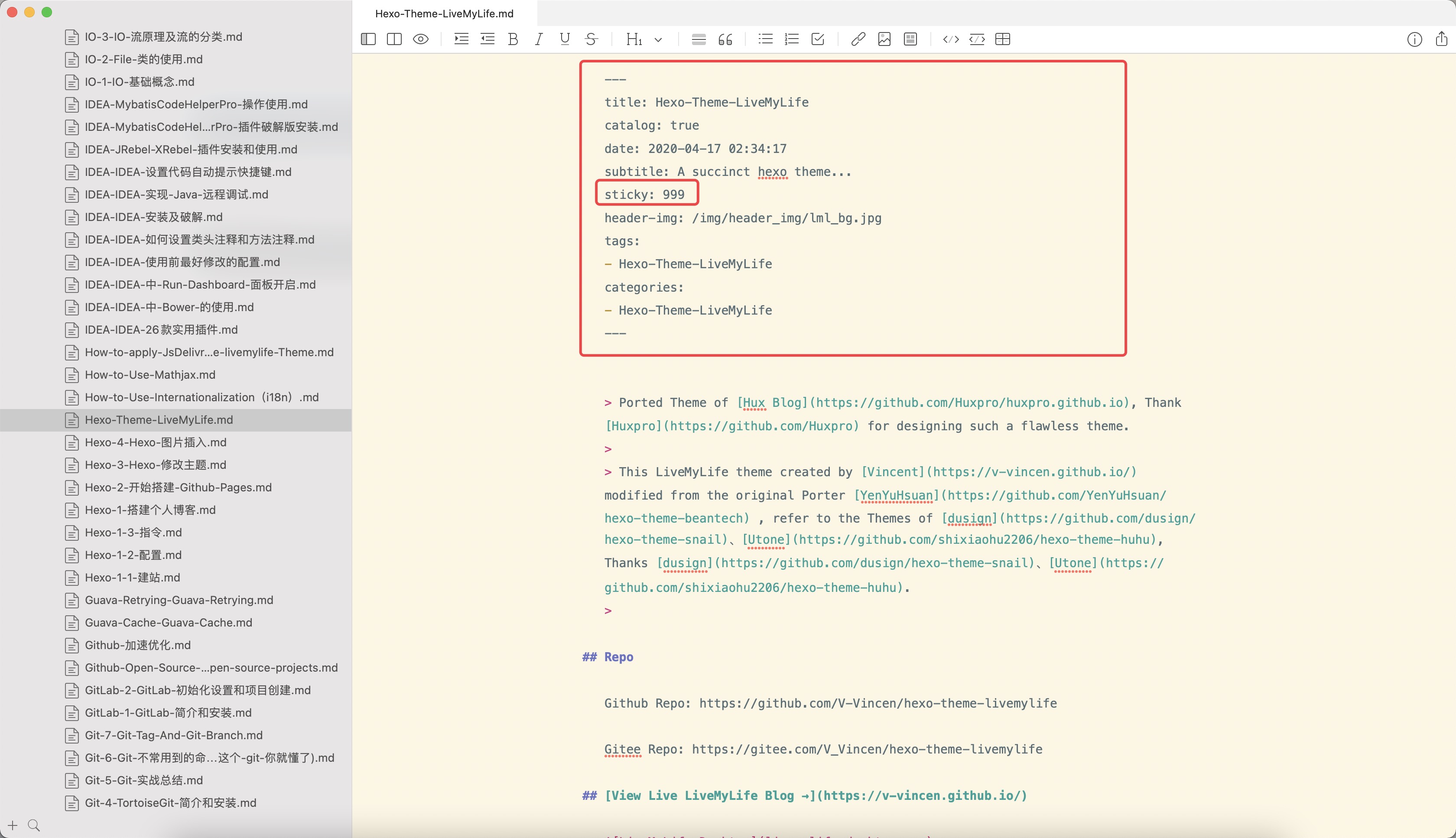
    top

    WordCount Settings

    A Word Count Plugin for Hexo. See WordCount for detailed configuration method.

    1
    2
    3
    # Dependencies: https://github.com/willin/hexo-wordcount
    # Docs: https://www.npmjs.com/package/hexo-wordcount
    wordcount: true

    Busuanzi Settings

    Busuanzi is a website traffic statistics plugin. How to use Busuanzi, see Busuanzi for detailed examples.

    1
    2
    3
    ## Dependencies: https://busuanzi.ibruce.info/
    ## Docs: https://ibruce.info/
    busuanzi: true

    Top scroll progress

    1
    2
    # top scroll progress
    scroll: true

    Tip

    1
    2
    3
    tip:
    enable: true
    copyright: Say what you think... # If the copyright is blank, the default value will be used.

    Social Share Post

    1
    2
    #Docs: https://github.com/overtrue/share.js
    share: true

    Viewer Config

    Viewer is a simple jQuery image viewing plugin. Let us first look at a demo. See Viewer for detailed configuration. If you want to modify the options of Viewer, you can go to sourcre/js/viewer/pic-viewer.js to change it.

    1
    2
    # Viewer config
    viewer: true

    Theme Color Config

    Hexo-Theme-LiveMyLife temporarily supports two themes color.

    1
    2
    3
    4
    # ThemeColor config
    themecolor:
    enable: true
    mode: dark # themecolor mode light or dark, default light

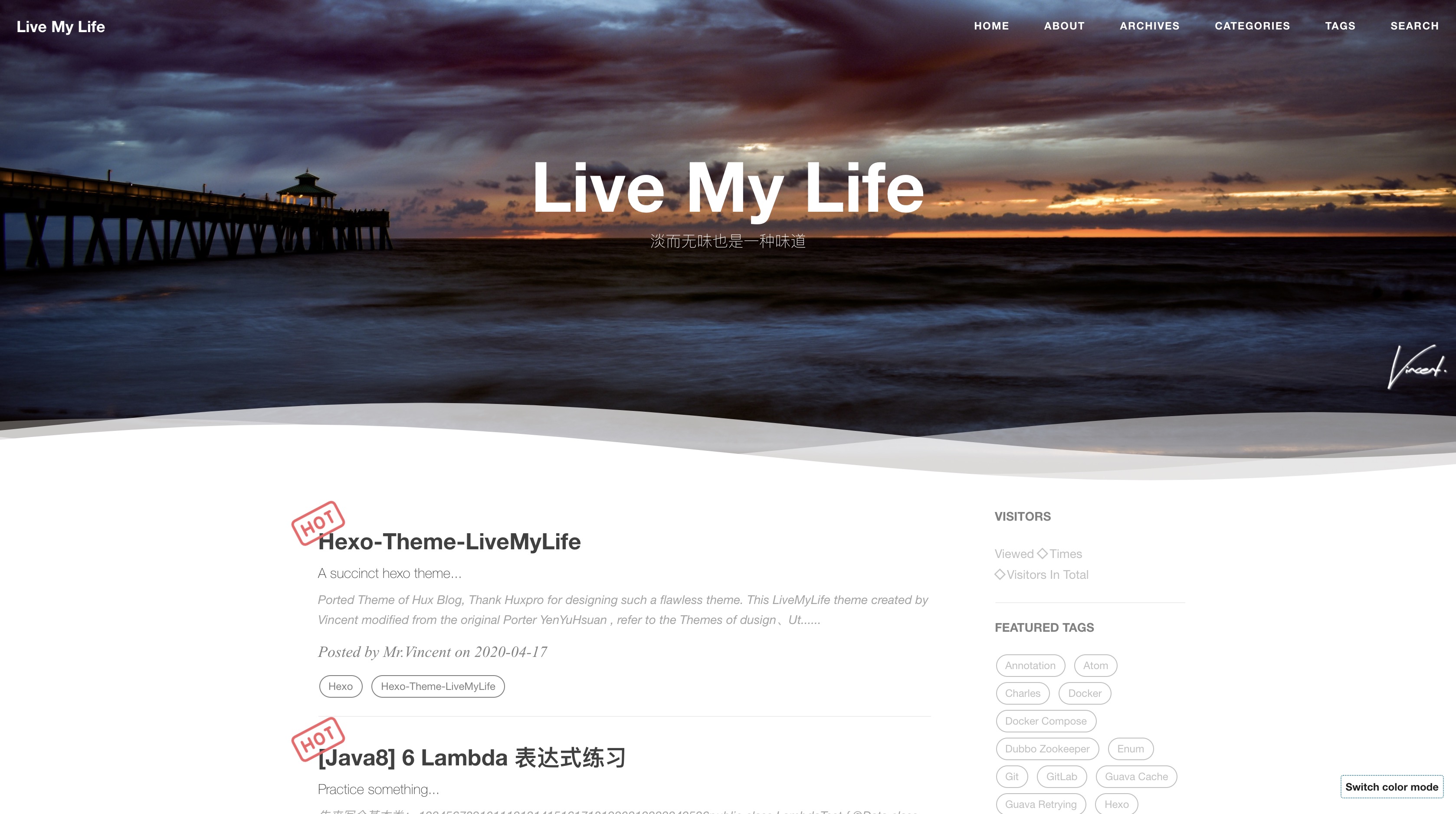
    Light theme preview:

    light theme

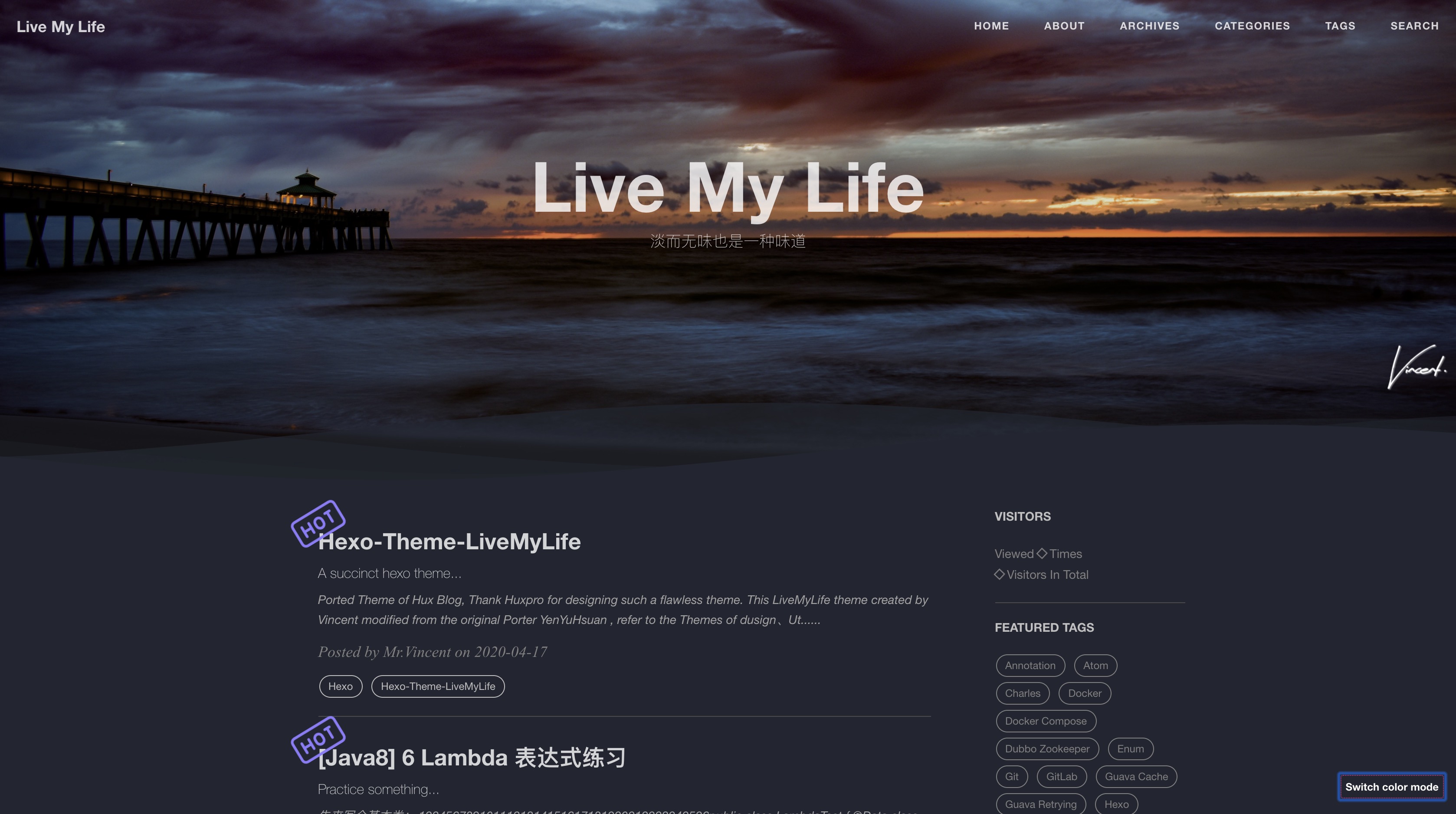
    Dark theme preview:

    dark theme

    Mouseclick Config

    1
    2
    3
    4
    5
    6
    7
    8
    9
    10
    11
    12
    13
    14
    15
    16
    17
    18
    19
    20
    21
    22
    23
    # Mouseclick config
    mouseclick:
    enable: true
    content:
    - The first step is as good as half over...
    - Laugh and grow fat...
    - Man proposes God disposes...
    - When all else is lost the future still remains...
    - Wasting time is robbing oneself...
    - Sharp tools make good work...
    - Cease to struggle and you cease to live...
    - A friend in need is a friend indeed...
    - Faith can move mountains...
    color:
    - '#9933CC'
    - '#339933'
    - '#66CCCC'
    - '#FF99CC'
    - '#CCCCFF'
    - '#6666CC'
    - '#663399'
    - '#66CC99'
    - '#FF0033'

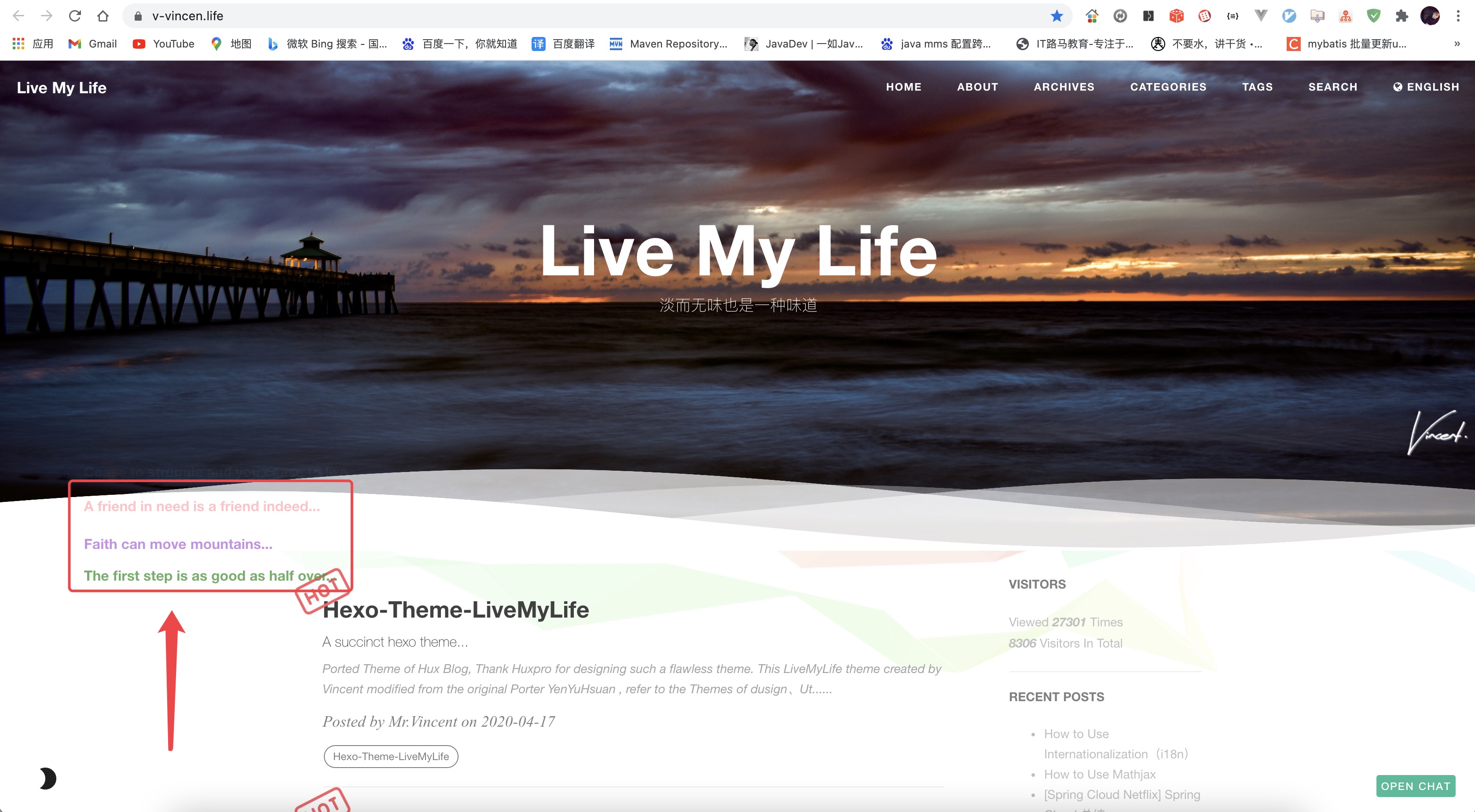
    Mouseclick preview:

    mouseclick

    Ribbon Config

    1
    ribbonDynamic: true

    Ribbon preview:

    ribbon

    BgLineCanvas Config

    1
    bglinecanvas: true  # The special effects will take up a lot of cpu resorces, please open it carefully.

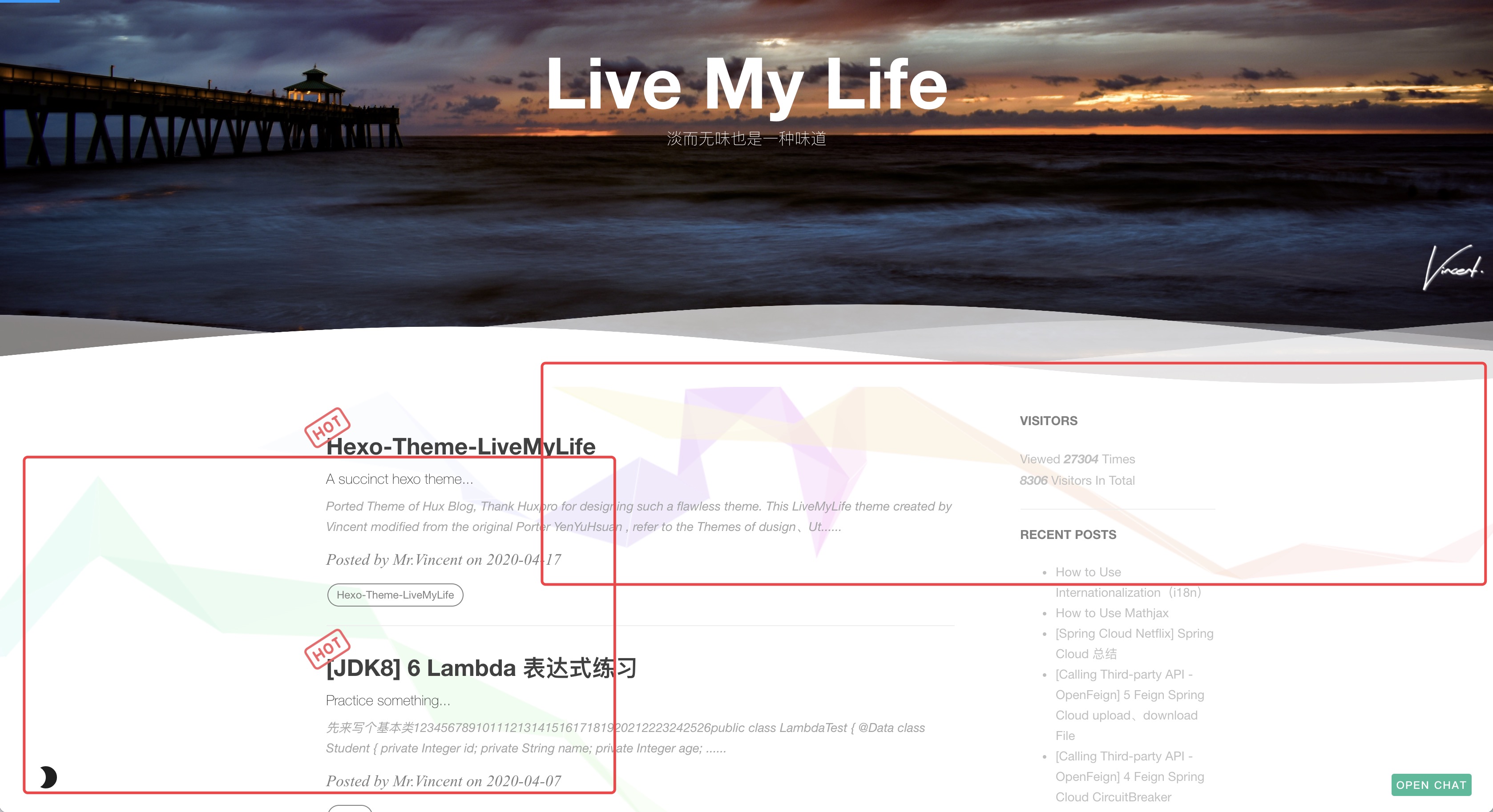
    BgLineCanvas preview:

    bglinecanvas

    Search Settings

    1
    2
    3
    4
    5
    6
    7
    8
    9
    10
    11
    12
    # Dependencies: https://github.com/V-Vincen/hexo-generator-zip-search
    search:
    enable: true
    path: search.json
    zipPath: search.flv
    versionPath: searchVersion.json
    field: post
    # if auto, trigger search by changing input
    # if manual, trigger search by pressing enter key or search button
    trigger: auto
    # show top n results per article, show all results by setting to -1
    top_n_per_article: 1

    Gitter

    Gitter is a chat and network platform that helps manage, develop and connect communities through messages, content and discovery. See Gitter for detailed configuration method.

    1
    2
    3
    4
    ## Docs:https://gitter.im/?utm_source=left-menu-logo
    ##
    gitter:
    room: your-community/your-room

    Deployment

    Replace to your own repo!

    1
    2
    3
    4
    deploy:
    type: git
    repo: https://github.com/<yourAccount>/<repo> # or https://gitee.com/<yourAccount>/<repo>
    branch: <your-branch>

    Hexo Basics

    Some hexo command:

    1
    2
    3
    4
    hexo new post "<post name>"   # you can change post to another layout if you want
    hexo clean && hexo generate # generate the static file
    hexo server # run hexo in local environment
    hexo deploy # hexo will push the static files automatically into the specific branch(gh-pages) of your repo!

    Have fun ^_^

    Please Star this Project if you like it! Follow would also be appreciated! Peace!


    If you like this blog or find it useful for you, you are welcome to comment on it. You are also welcome to share this blog, so that more people can participate in it. If the images used in the blog infringe your copyright, please contact the author to delete them. Thank you !